
JasperMate quick start
From the box to your first programme in three steps: put it together, get it online and tell it what to do.
Stuck? Email [email protected]
In the box
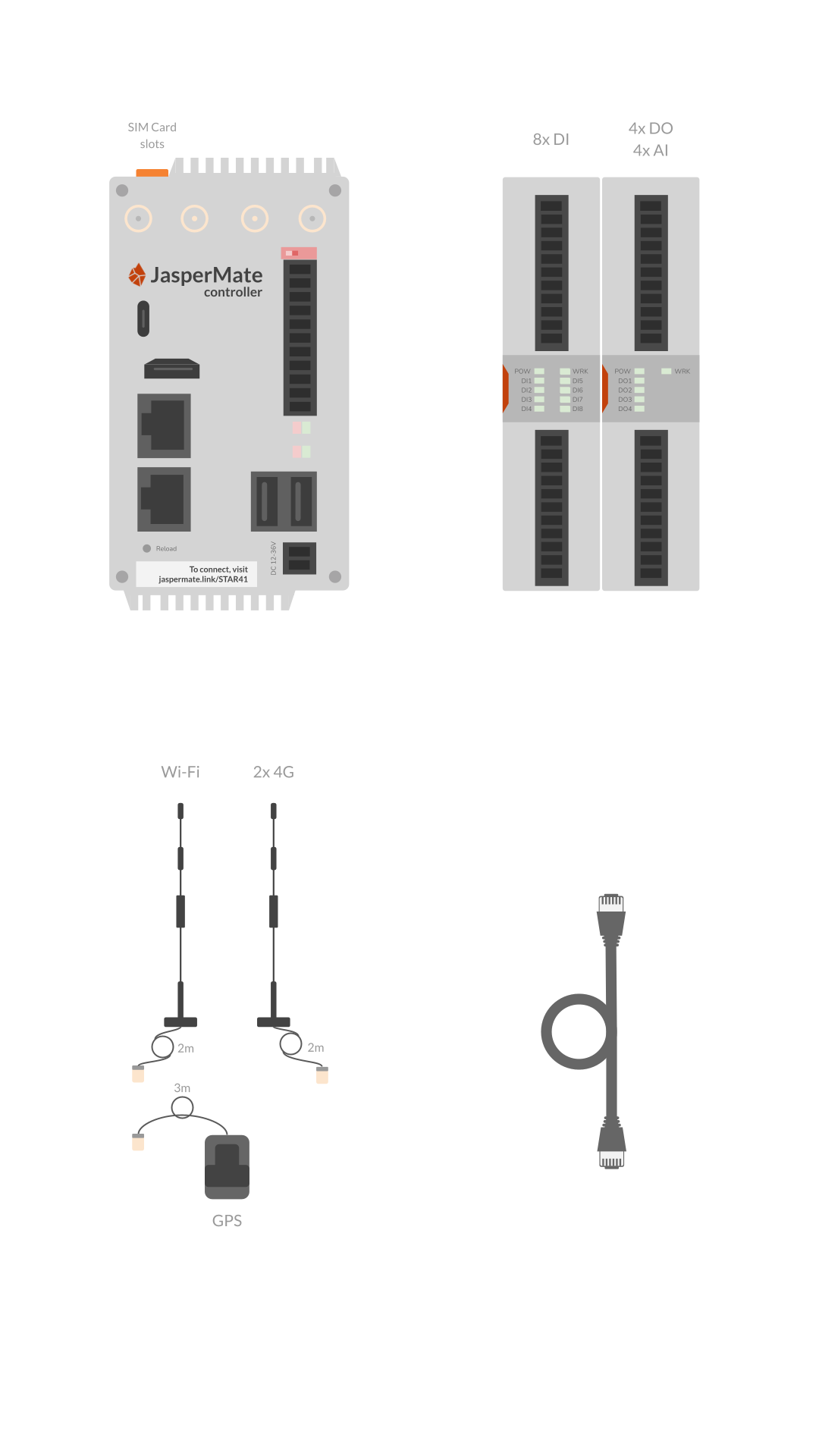
- JasperMate controllerThe base unit, with 2 nano-SIM slots on top
- I/O cardsOne with 8 digital inputs; one with 4 relay outputs and 4 analogue inputs
- AntennasWi-Fi, 2 × 4G and GPS, on 2 m and 3 m leads
- Ethernet cable1 m
1. Put it together and power it up
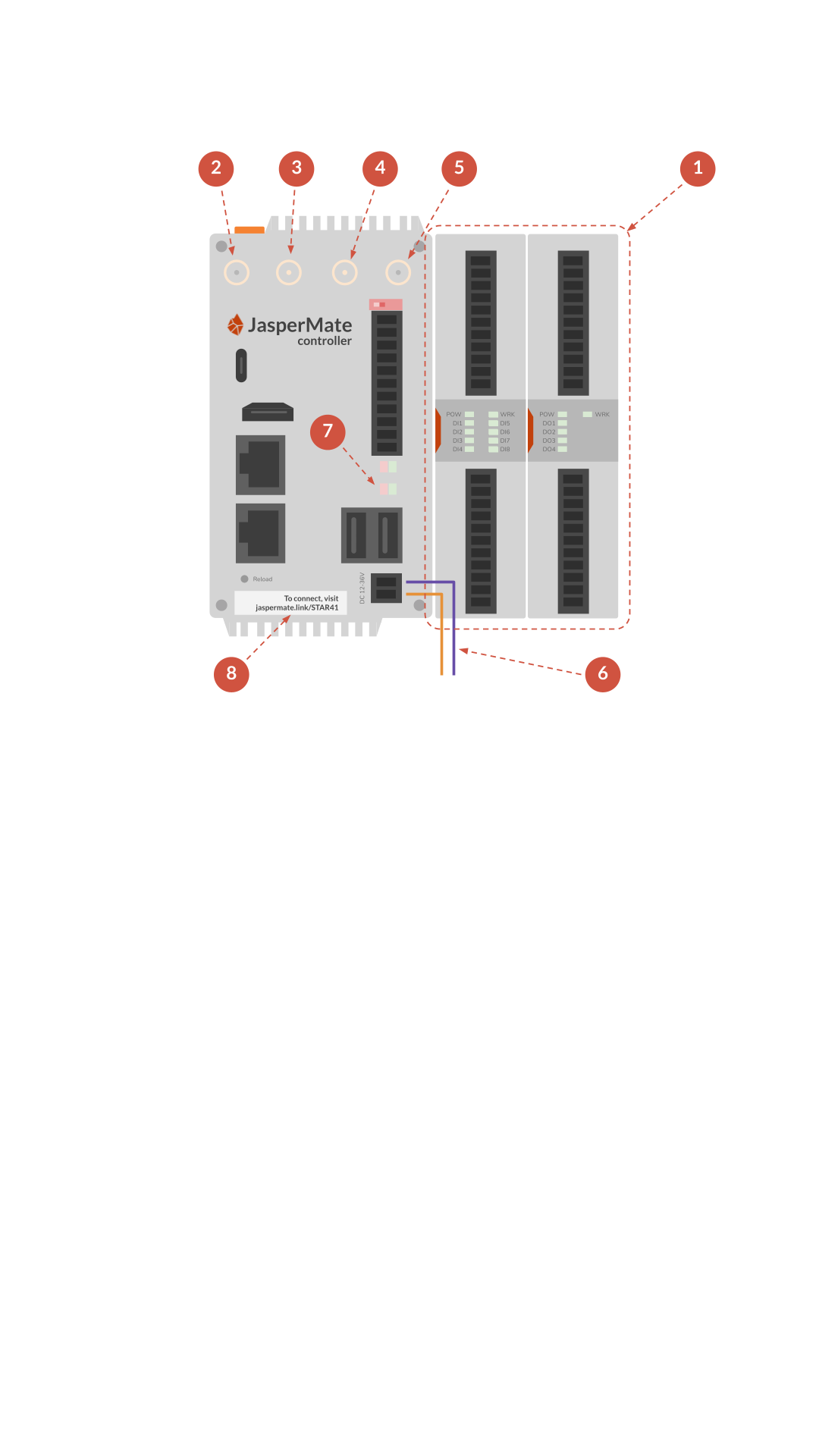
- Slide the I/O cards onto the base unit until their contacts are firmly connected.
- Attach the Wi-Fi antenna to WIFI (female connector).
- Attach a 4G antenna to ANT1 (male connector).
- Attach the second 4G antenna to ANT2 (male connector).
- Connect the GPS antenna to GPS (optional).
- Connect a 12-36 V DC power supply.
- Check that the red PW light is on and the green WK light is blinking.
- Find the setup address on the front label. It looks like jaspermate.link/STAR41.
2. Connect it to Wi-Fi
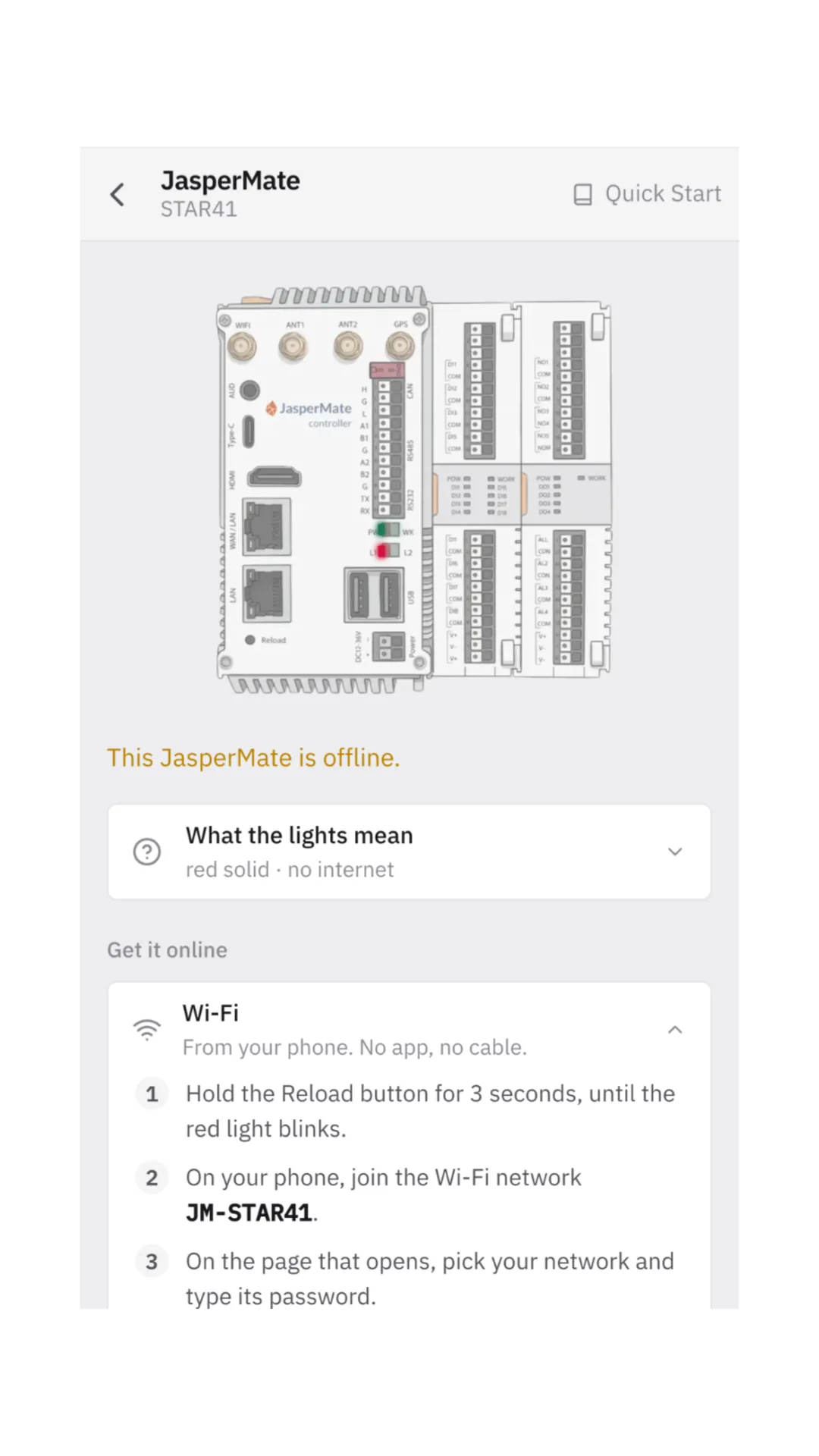
- On your phone, open the setup address from the label. You may need to create a JasperX account first.
- Follow the steps on the page to connect JasperMate to your Wi-Fi or your phone's Personal Hotspot.
- Wait until JasperMate is on the network: light L1 goes off and L2 blinks.
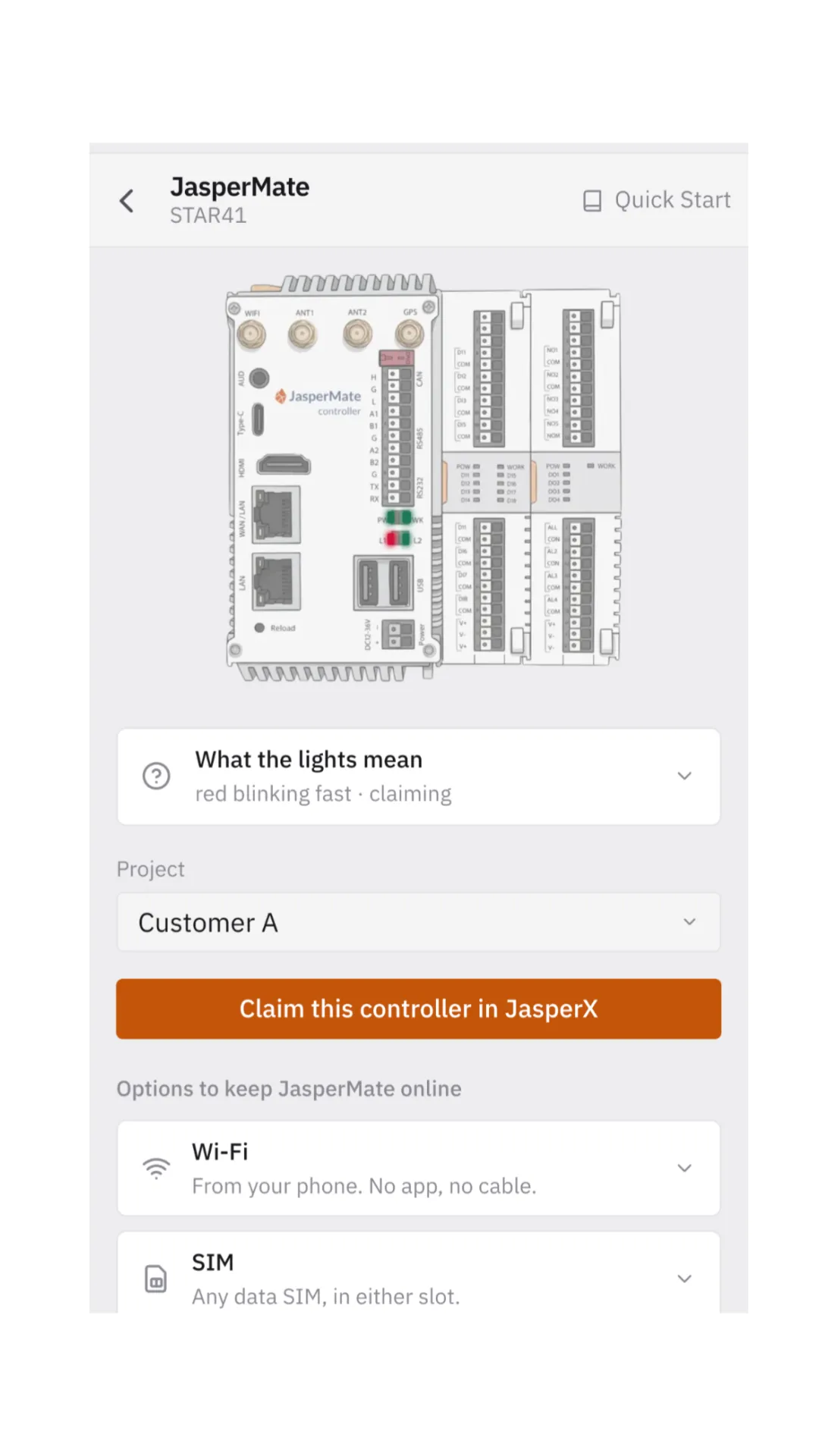
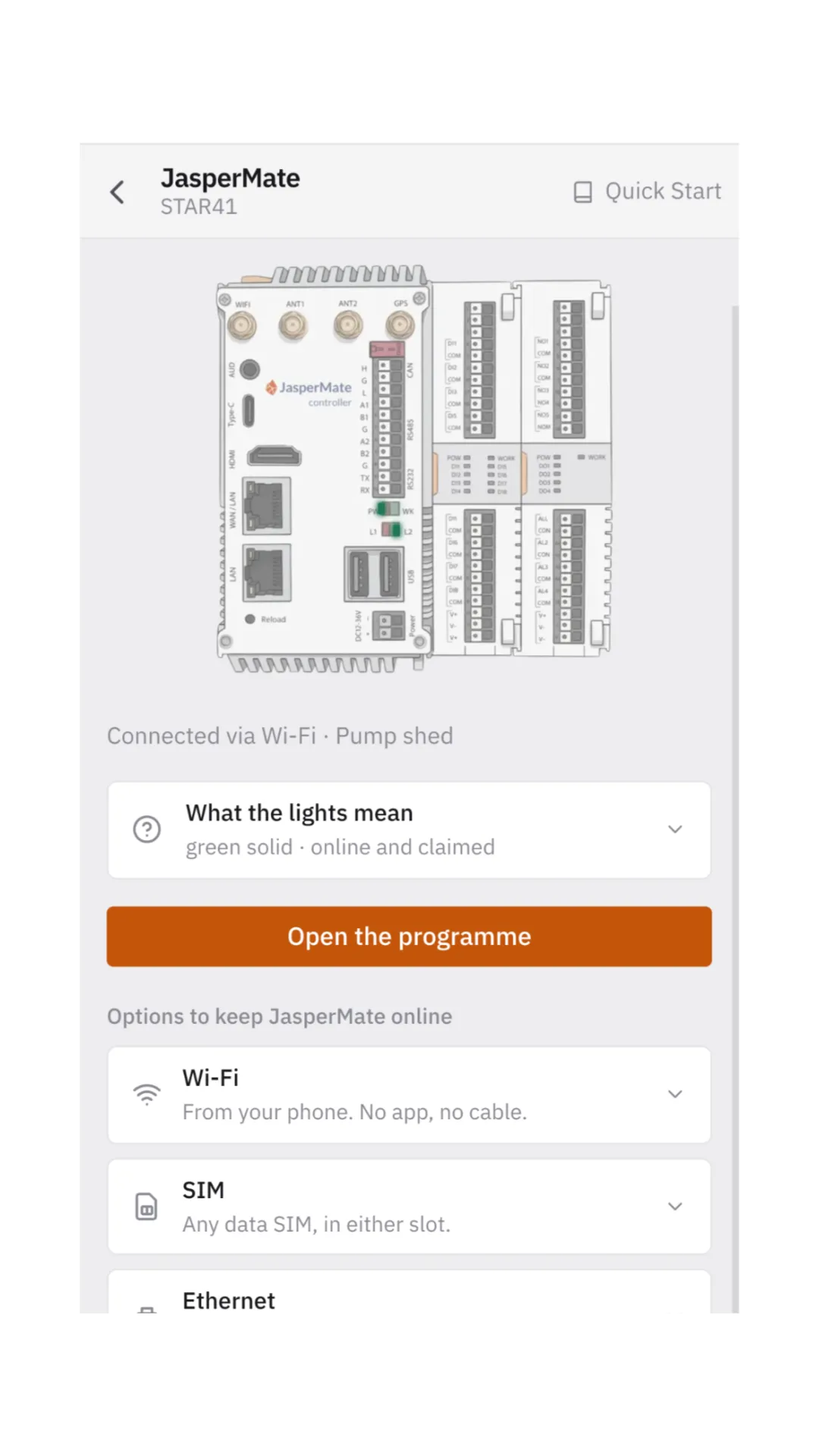
- Once JasperMate is online, claim it.
- Click Open the programme.
3. Start in the chat with Jasper
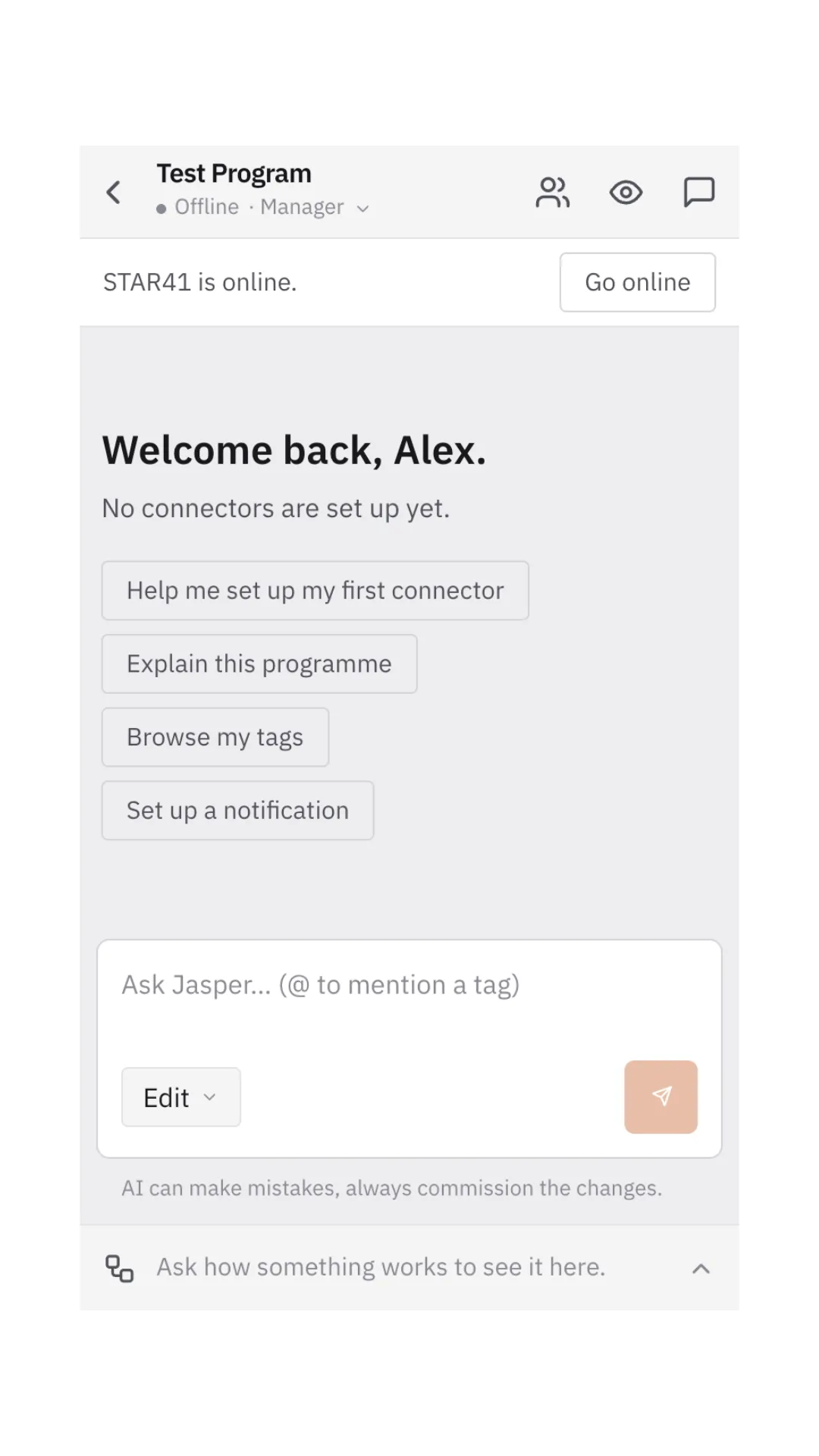
- Click Go online to work with the controller.
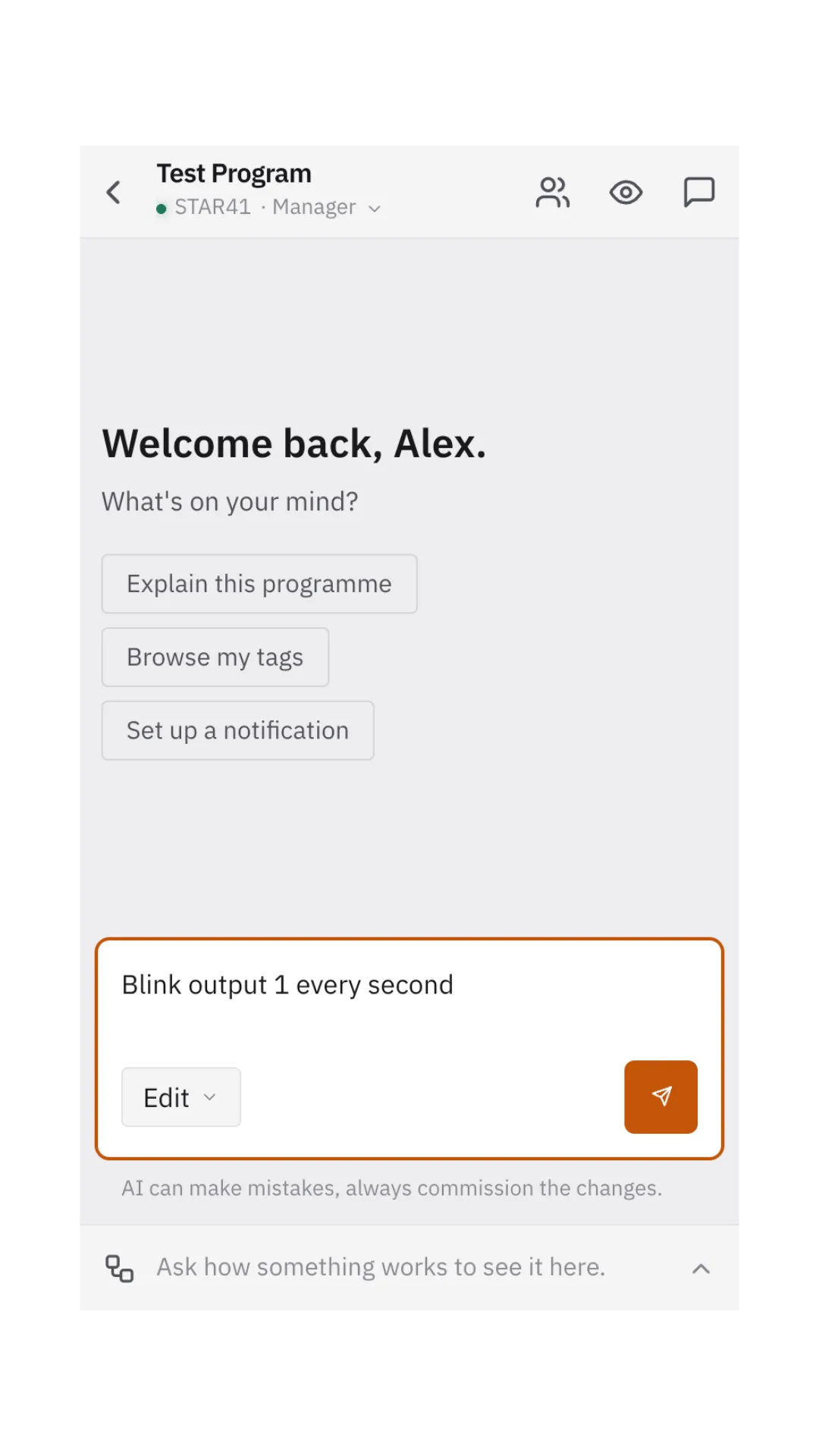
- Start with a simple prompt, such as "Blink output 1 every second".
That's it: your JasperMate is running.
Keep the guide on the job: download the PDF. Questions: [email protected]