

The local web interface
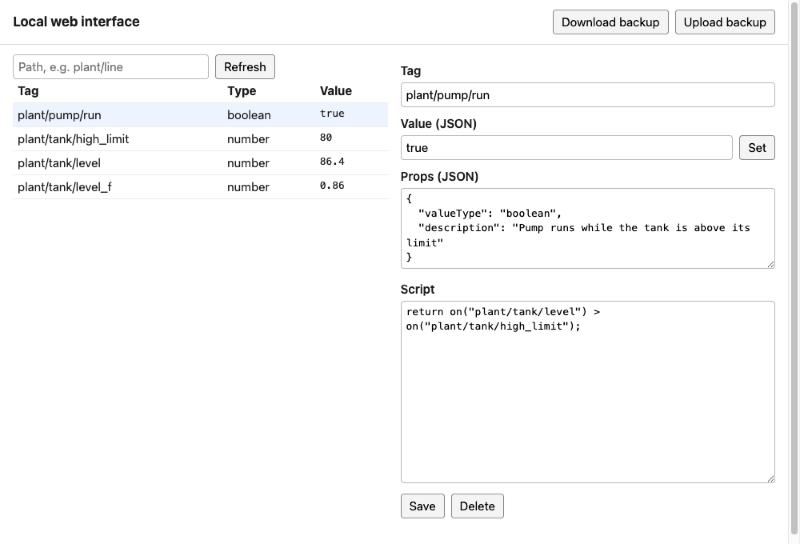
Every JasperNode serves one plain page, the local web interface, for working on the controller directly: when JasperX cannot be reached, or when you or your own agent want to change it on site.
Open it
Section titled “Open it”Browse to http://<controller address>:9009 from the controller’s local network (in Docker, the
port the installer chose). The browser asks for a user name and password: the user name can be
anything, the password is the local web interface password.
- Where the password comes from. JasperX makes it when the controller is claimed and shows it once, beside the install line. A Manager sets a new one in Controller settings on JasperX, while the controller is online; it is shown once again.
- Claim it first. A controller that has never been claimed has no password, and its interface and API answer nothing until it is.
- Local network only. It is plain HTTP, and remote access through JasperX never opens this port.
What it does
Section titled “What it does”- Download backup / Upload backup. The whole programme as one JSON file. An upload replaces the whole programme, all of it or none of it. Connector passwords and keys are masked in the file, and an upload keeps the ones this controller holds. A restored programme’s connectors stay disabled; they are enabled from JasperX.
- Tags. List the tags under a path with their type and value (Refresh reads them again; the page does not update live).
- Value. Set a tag’s value, as JSON (
42,true,"text"). - Props and script. Create a tag, or change its props (
valueType,description,decimals) and its script, then Save. A saved script runs at once; an empty script deletes it. Delete deletes the tag.
Changes made here or by your own agent go straight to the running controller, with no sign-off and no checks beyond the controller’s own; they are recorded as the local operator, and JasperX sees them once the controller is online. Sign-off guards Jasper’s changes made through JasperX.
Everything the page does goes through a small HTTP API, which your own tools can use too: see Use it from your own agent.